With Linux running on the Jornada, the next step was getting a serial terminal program to connect to Qubes.
There were a few standard options that should work out of the box:
minicom/microcomscreencu
None of them were installed by default on the minimal Debian system, so I downloaded the .deb packages manually and copied them to the CF card. I started with minicom and microcom:
$ minicom
-bash: cannot execute binary file: Exec format error

$ file /usr/bin/minicom
ELF 32-bit LSB executable, ARM, EABI5
The binary claims to be ARM. The Jornada has an ARM CPU. So what’s the problem? Modern ARM packages are compiled for ARMv7+ with EABI5 (Embedded Application Binary Interface version 5). The Jornada’s StrongARM SA-1110, manufactured in 1999, implements ARMv4 with an older ABI. Package managers don’t distinguish between these (they’re both just labeled “armhf”) but they’re fundamentally incompatible at the instruction level.
At least that is my current hypothesis.
Both minicom and microcom failed with the same error. I still need to try screen and cu, but rather than continue downloading packages that might not work, I decided to take a different approach.
Cross-compiling was an option, but that felt like overkill for what should be a simple task.
Building a Serial Terminal in Python
If compiled binaries don’t work, the solution is to use an interpreted language.
Python’s standard library includes everything needed for serial communication:
termios- configure serial portsselect- multiplex I/Oos- low-level file operations
No pip.
No dependencies.
Just stdlib.
I wrote a minimal serial terminal in about 40 lines of Python:
#!/usr/bin/env python
import sys, termios, tty, select, os

port = '/dev/ttySA0'  # StrongARM serial port
baud = 115200

# Open serial port
fd = os.open(port, os.O_RDWR | os.O_NOCTTY)

# Configure: 115200 baud, 8N1, raw mode
attrs = termios.tcgetattr(fd)
attrs[4] = attrs[5] = termios.B115200
attrs[2] = termios.CS8 | termios.CREAD | termios.CLOCAL
attrs[0] = attrs[1] = attrs[3] = 0
termios.tcsetattr(fd, termios.TCSANOW, attrs)

# Save terminal state
stdin_fd = sys.stdin.fileno()
old_settings = termios.tcgetattr(stdin_fd)
tty.setraw(stdin_fd)

print("Connected. Press Ctrl+Q to exit.\r\n")

try:
    while True:
        # Wait for input from keyboard or serial
        r, _, _ = select.select([fd, stdin_fd], [], [], 0.1)

        if fd in r:  # Serial → screen
            data = os.read(fd, 1024)
            sys.stdout.write(data)
            sys.stdout.flush()

        if stdin_fd in r:  # Keyboard → serial
            char = os.read(stdin_fd, 1)
            if char == '\x11':  # Ctrl+Q exits
                break
            os.write(fd, char)
finally:
    termios.tcsetattr(stdin_fd, termios.TCSADRAIN, old_settings)
    os.close(fd)
The script does exactly what’s needed: bidirectional communication with proper handling of control characters, and a clean exit with Ctrl+Q. Simple, functional, no dependencies.
Though I have plans to improve it in the future. Specifically, allowing the script to automatically exit when the serial connection is closed.
First Contact with Qubes
With the serial terminal ready, it was time to test the connection. First, I configured the Jornada’s serial port to match Qubes’ baud rate:
# Set baud rate (must match Qubes)
stty -F /dev/ttySA0 115200

# Connect
python /root/serial-term.py
Success! On the screen I get the Qubes login prompt:
login: _I logged in and tested basic VM management with qvm-ls that lists all Qubes:
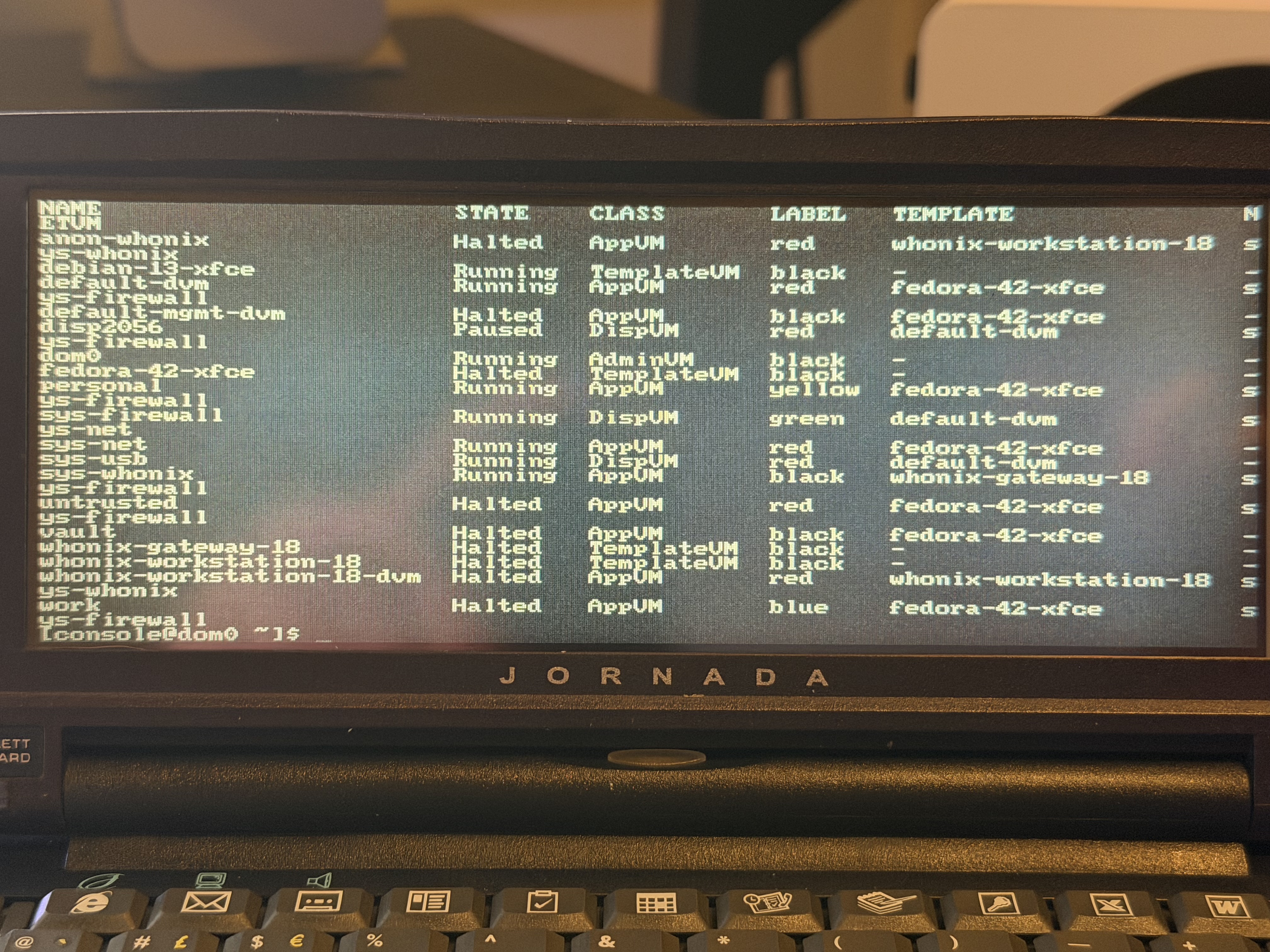
It worked. A 25-year-old handheld computer was now controlling a modern Qubes workstation over a physical RS-232 cable.
Here is a quick demo of the Jornada opening an xterm terminal in the personal Qube using the qvm-run personal xterm command:
Issues
Not everything is perfect.
Problem 1: Baud rate resets
The Jornada’s serial port defaults to 9600 baud on every boot, while Qubes runs at 115200. If they don’t match, you get garbage output.
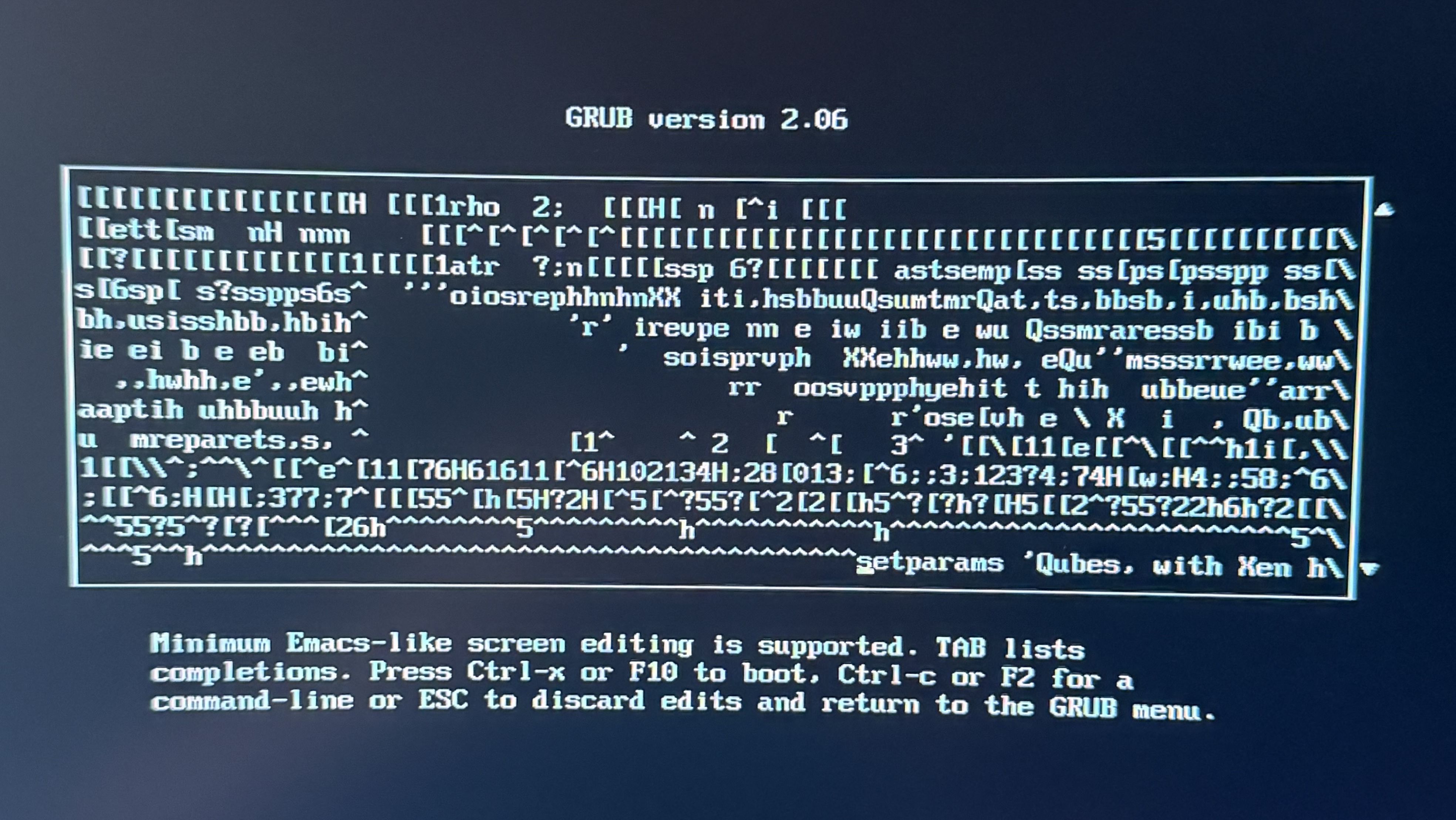
The fix is simple: run stty -F /dev/ttySA0 115200 before connecting by adding it to the init script.
Problem 2: Escape sequences
Raw mode on the Jornada captures all input, which means Ctrl+C gets passed through to the remote system instead of interrupting the local Python script. This is technically wanted behavior, but there still needs to be a way to exit the script.
Solution: Add a custom escape sequence to the Python script to exit gracefully.
Problem 3: Truncated output
Sometimes serial data arrives faster than the Jornada can display it leading to dropped characters.
“login:” appears as “in:”
“Select” appears as “ect”
This is most noticeable right after boot, but it stabilizes after about a minute. It’s not perfect, but it’s usable. I will keep my eye on this issue.
Still on the to-do list:
- Test
screenandcuto see if they work on ARMv4 (better than my little python script) - Automate the serial connection on boot
- Fix the Python script’s exit handling
- Configure Qubes networking properly
- Set up RDP access from the Mac