The HP Jornada 720 was never meant to run Linux.
It boots Windows CE from ROM, has no bootloader, no BIOS, no firmware menu, and no concept of “installing an operating system.” But it has a serial port, and that serial port is going to control Qubes OS.
First, I had to make it run Linux.
Getting Started
I used this comprehensive wiki with bootloader binaries and kernel images as a starting point. The documented process is straightforward:
- Partition CF card (FAT32 + ext4 + swap)
- Copy bootloader and kernel to FAT32
- Extract Debian 9 rootfs to ext4
The wiki gets you into linux. Everything after that is custom.
Preparing the CompactFlash Card
The Jornada doesn’t have internal storage in any modern sense. Everything Linux uses lives on a CompactFlash card inserted into the bottom of the device.
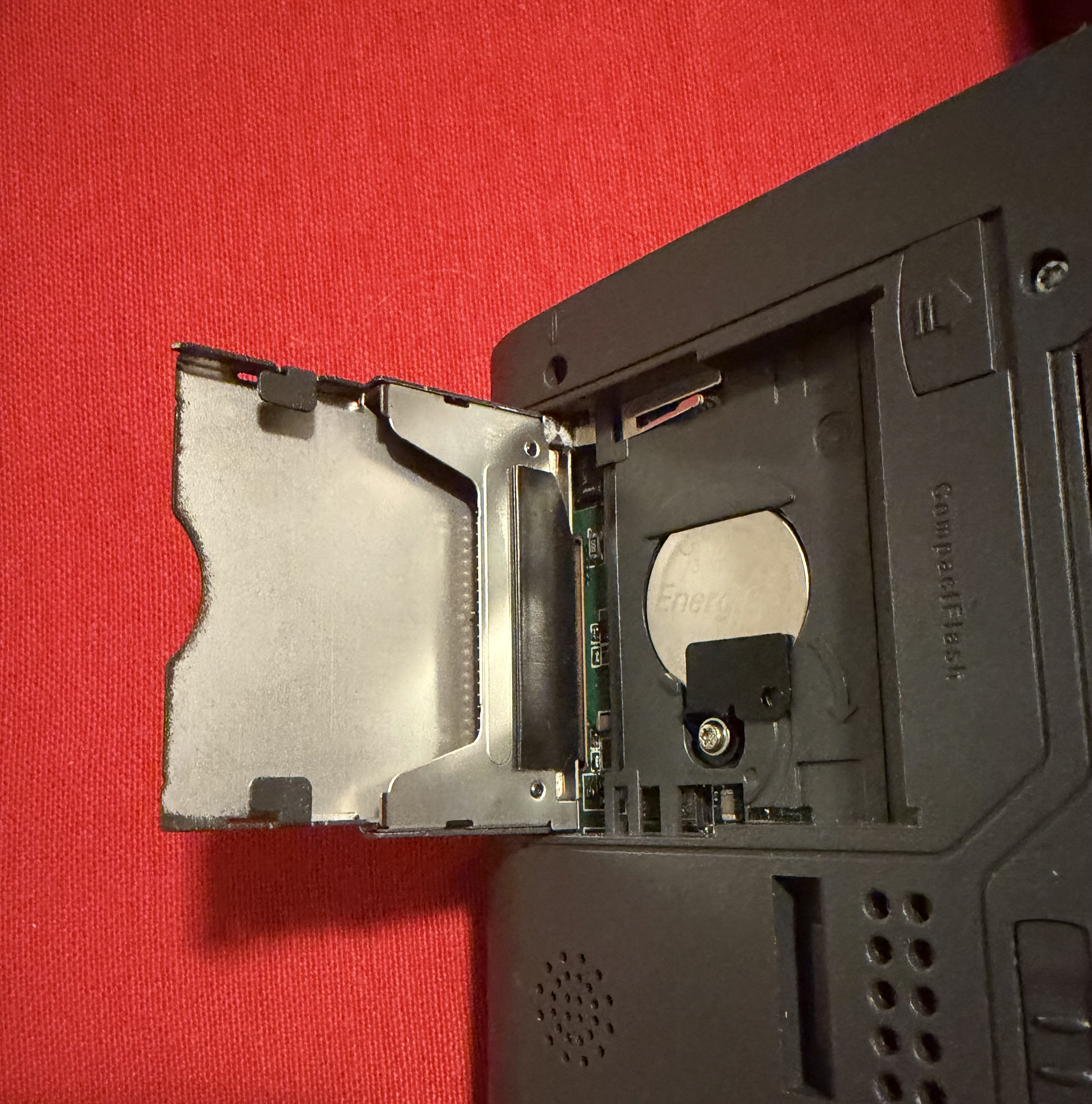
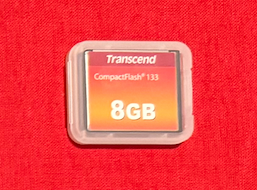
That card has to serve two masters:
- Windows CE needs to read it in order to launch Linux
- The Linux kernel needs a real Unix filesystem to mount as
/
The solution is to split the CF card into three partitions:
| Partition | Type | Purpose |
|---|---|---|
/dev/sdc1 | FAT16 | Bootloader + kernel (readable by Windows CE) |
/dev/sdc2 | ext2 | Linux root filesystem |
/dev/sdc3 | swap | Emergency memory |
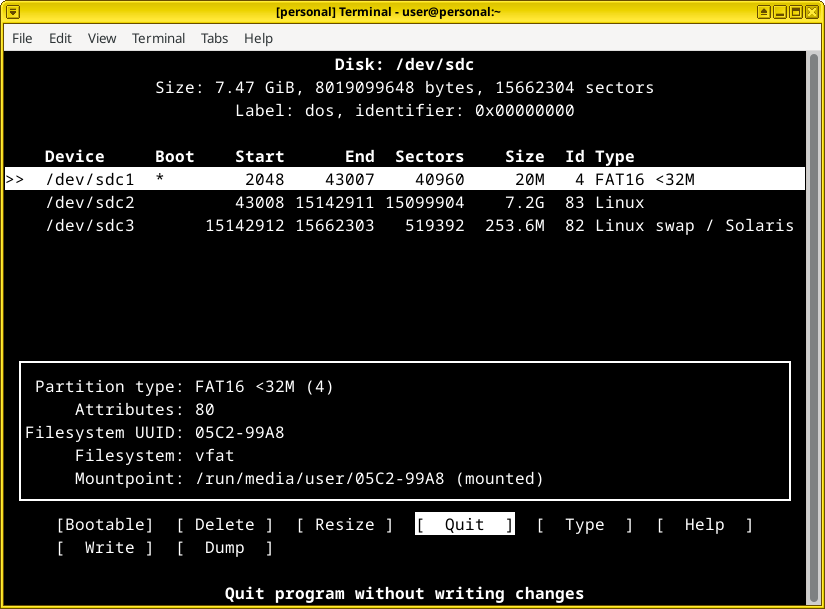
This mirrors the structure of an embedded system more than a PC. There is no “installer.”
/dev/sdc1
The first partition is intentionally small, just large enough to hold the chainloader and be seen by Windows CE.
/dev/sdc2
The second partition becomes the Linux root filesystem. There is no package manager, no installer, and no first-boot wizard. Whatever exists here is the system.
/dev/sdc3
The third partition provides swap space, which is critical given the Jornada’s limited RAM.
Filesystem Choice: ext2 vs ext4
The wiki recommends ext4 for the root filesystem as it’s modern, journaled, and robust. But I chose ext2 instead, and here’s why:
This is an embedded console device that will be essentially read-only after initial setup. It’s literally just a serial terminal that controls another device…once configured, it writes nothing. The filesystem will remain static.
ext2 offers several advantages for this use case:
- No journal writes (extends CF card lifespan)
- Simpler implementation (fewer failure points)
- Fully supported by the 3.16 kernel
- Faster mounts (no journal replay)
The journaling in ext4 is designed to protect against sudden power loss during writes. But if the system isn’t writing anything, journaling provides no benefit while adding unnecessary complexity and wear to the flash storage. I did experience filesystem corruption during initial setup when I was frequently swapping the CF card between computers, but once the system is configured and the card stays in the Jornada permanently, this risk disappears.
Installing Linux
With the CF card prepared, the Jornada finally has somewhere to become something else. But there’s no traditional installer here. The Jornada has no BIOS, no boot menu, and no concept of “replace the OS.” It always boots Windows CE from ROM. Linux has to be smuggled in through the only door that exists.
The boot sequence works like this:
- The Jornada powers on and boots Windows CE from ROM
- I launch a small program called
jlinexec.exe jlinexecloads a Linux kernel from the CF card- The kernel mounts its root filesystem from the second partition
- Windows CE vanishes from memory
From Linux’s perspective, Windows CE never existed.
To enable this chainloading, the first partition (/dev/sdc1) contains exactly three files:
jlinexec.exe— the chainloader executablePARAMS.TXT— kernel boot argumentszImage— the Linux kernel binary
These files live in the root of the FAT partition where Windows CE can execute them like any other program.
The second partition (/dev/sdc2) becomes the entire operating system. Instead of running an installer, I extract a prebuilt root filesystem directly onto it:
sudo mount /dev/sdc2 /mnt/sdc2
sudo tar -xvf rootfs.tar.bz2 -C /mnt/sdc2
Since there is no package manager, setup wizard, or boot experience…whatever ends up in that directory tree is the system.
At this point the Jornada technically has Linux on it
First Boot: Everything Breaks
The wiki installation worked perfectly…or so it seemed.
I booted the Jornada, and Linux kernel messages scrolled by on the screen. It looked promising. Then:
systemd[1]: Failed to mount tmpfs at /sys/fs/cgroup: No such file or directory
systemd[1]: Failed to mount cgroup at /sys/fs/cgroup/systemd: No such file or directory
[!!!!!!] Failed to mount API filesystems, freezing.
systemd[1]: Freezing execution.
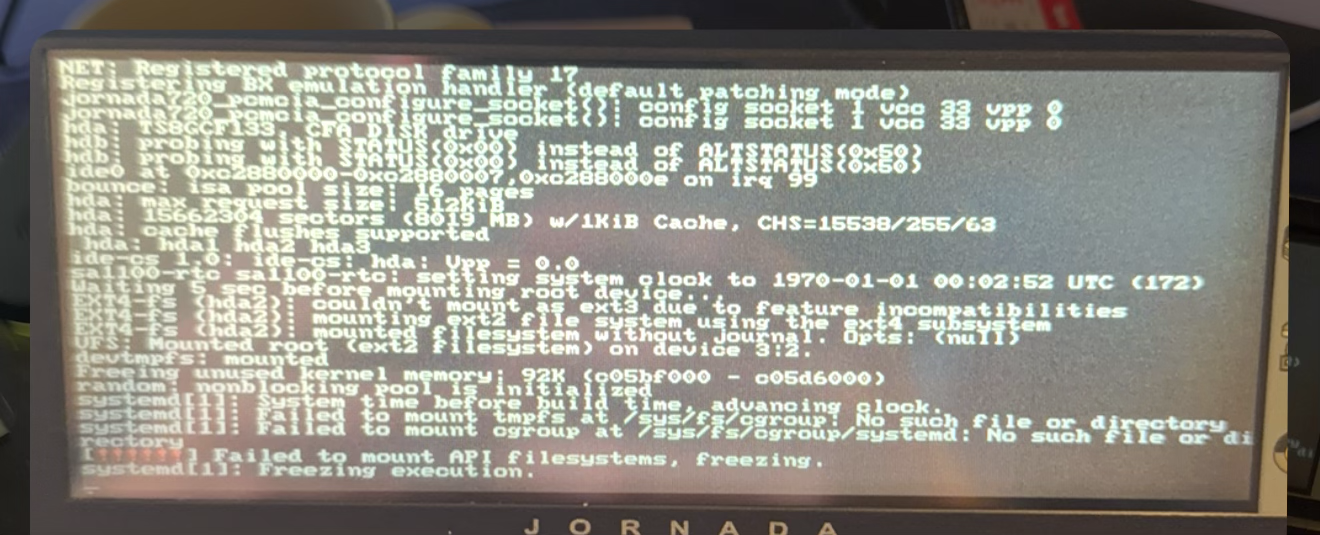
The kernel booted.
The filesystem mounted.
But systemd died immediately.
Why?
The systemd Problem
Modern Debian assumes modern kernel features. Specifically, systemd requires cgroup support, which must be compiled into the kernel. The prebuilt kernel from the wiki was compiled for minimal embedded use without these features enabled. On first boot, systemd tried to mount the cgroup filesystem, failed immediately, and froze the system.
The fastest way past this problem is also the simplest: bypass systemd entirely.
On Linux, the kernel looks for /sbin/init and executes it as PID 1. It doesn’t care what that file is, only that it exists and is executable. So as a first experiment, I replaced it with a symlink:
ln -s /bin/sh /sbin/initThat’s it.
On the next boot, the kernel didn’t try to start a service manager. It launched a raw POSIX shell as the first process in the system. No daemons. No login manager. Just a shell attached to the framebuffer.
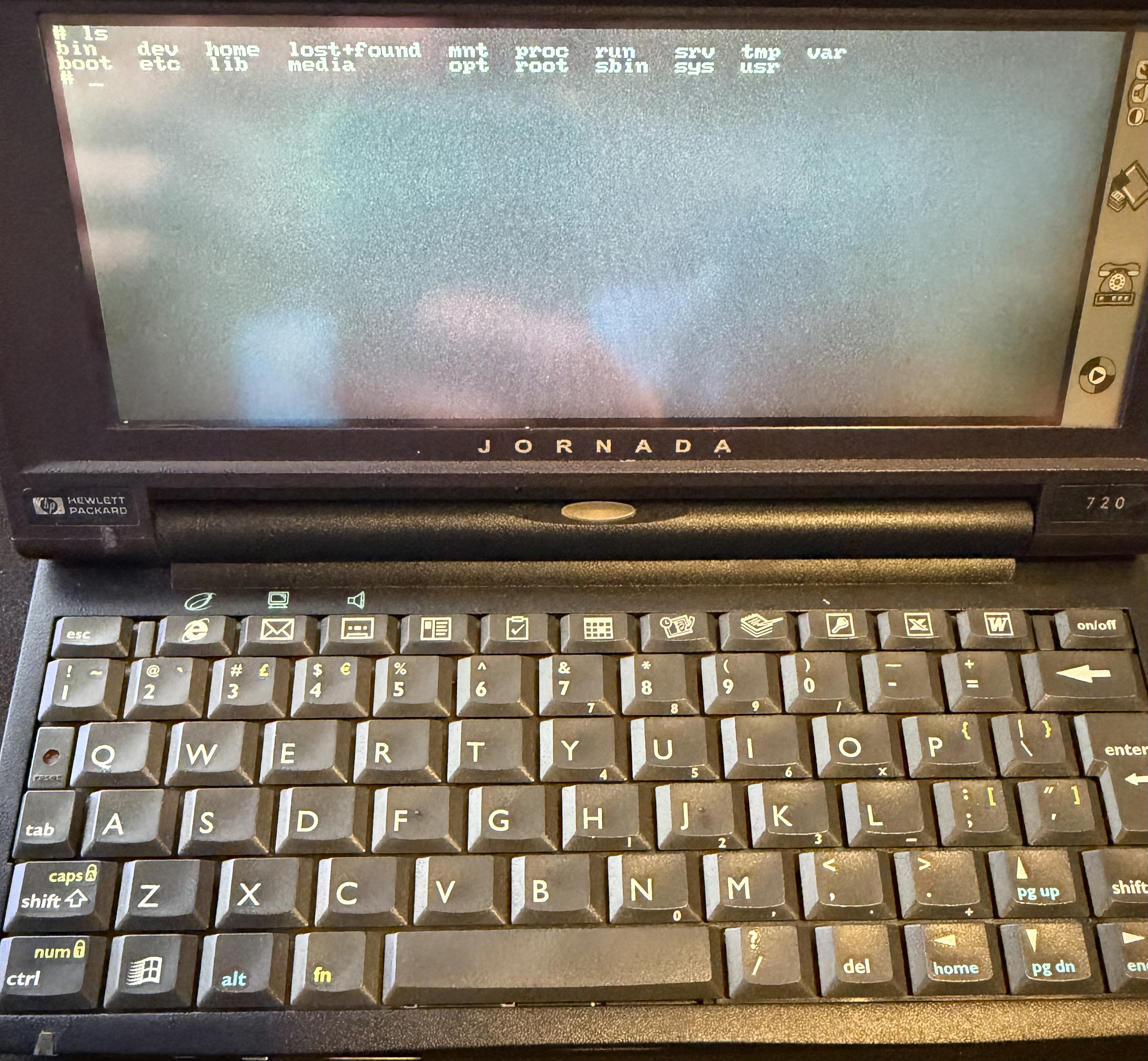
This wasn’t meant to be the final state. I just needed a proof of life. It demonstrated that the kernel, root filesystem, and chainloader all worked. More importantly, it reframed the problem: I didn’t need “a distro.” I needed a process.
From that point on, the system stopped being “Linux on a handheld” and started being what it really was: a tiny embedded appliance whose entire job was to bring up a terminal. So instead of fighting a modern init system, I wrote my own.
But that is a topic for another day.